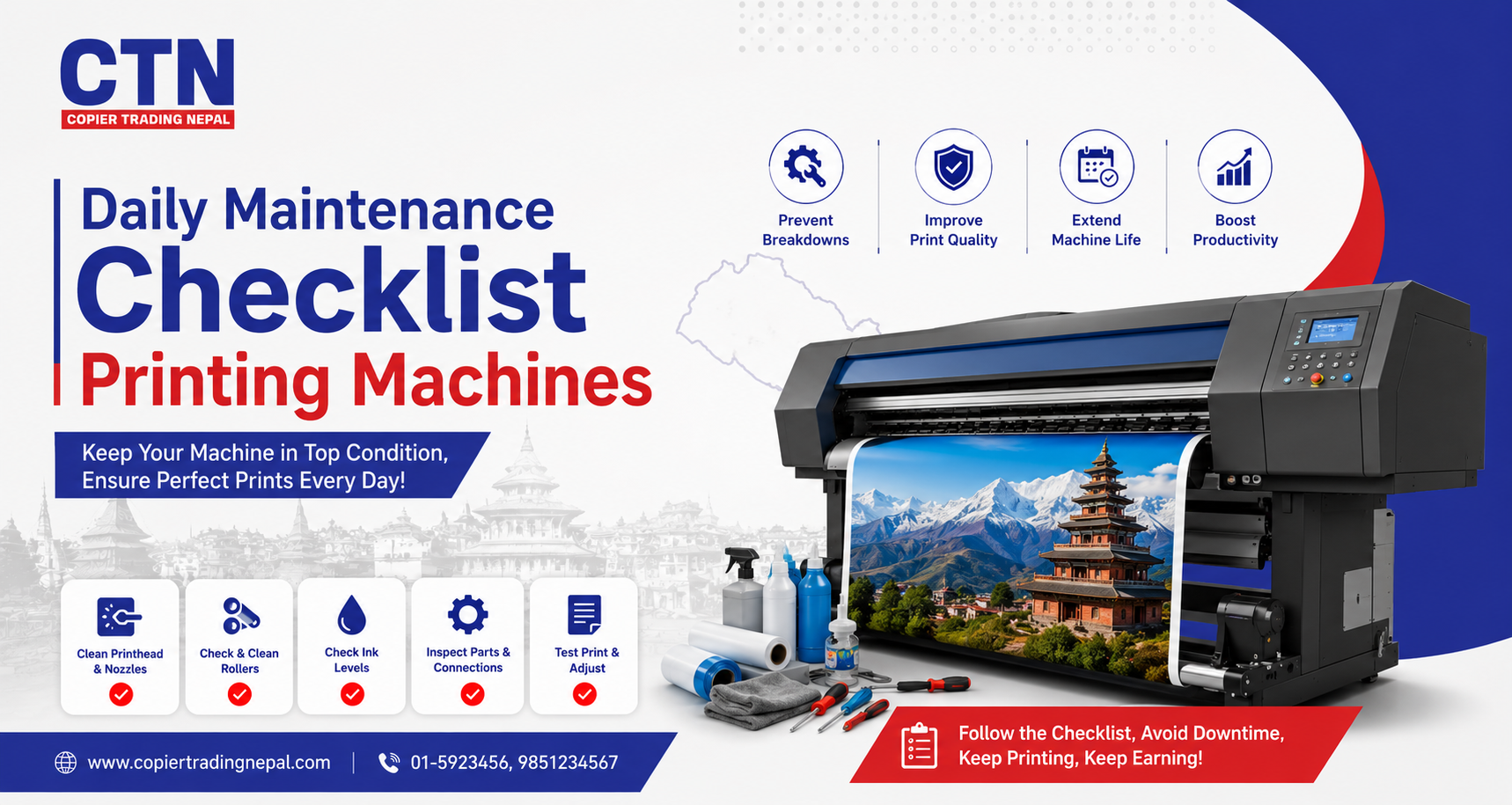
Daily maintenance checklist printing machines
A printing machine breaks down for one of two reasons: a real mechanical fault, or months of skipped daily upkeep finally catching up. Most flex, solvent and digital printers fail predictably — clogged nozzles, dried capping stations, dusty encoder strips — and nearly all of it is preventable with a five-minute routine repeated every shift. This checklist breaks that routine into startup, mid-shift, and shutdown checks any operator can follow.
Before You Start Printing
Morning · StartupRun through this before the first job of the day. It takes under five minutes and catches most issues before they turn into a ruined print or a service call.
- Check ink levels in all cartridges and top up or replace any running low
- Run a nozzle check print and inspect for missing lines or banding
- Wipe the capping station and wiper blade if the printer has been idle overnight
- Confirm the print head height is set correctly for today's media thickness
- Check that the take-up reel and media tension are aligned before loading a new roll
- Inspect power cables and voltage stabilizer/UPS connections for looseness
During Operation
Throughout the shiftThese checks happen while the machine is running jobs — mostly about catching problems early rather than after a full roll is wasted.
- Glance at the first few prints of every new job for color shift, banding or misalignment
- Keep the area around the printer free of dust, especially near the print head rail
- Monitor ink levels between large jobs so a cartridge doesn't run dry mid-print
- Listen for unusual carriage or motor noise — it's often the earliest sign of a mechanical issue
- Keep media rolls covered when not in use to prevent dust settling on the print surface
If a job shows any streaking mid-print, pause and run a nozzle check rather than continuing — reprinting a full banner is more expensive than a two-minute cleaning cycle.
End-of-Day Shutdown Routine
Evening · ClosingHow a machine is closed down matters as much as how it's started. A rushed shutdown is one of the most common causes of dried, clogged nozzles the next morning.
- Always use the printer's proper shutdown sequence so the head parks correctly over the capping station
- Never switch off at the wall or power strip directly — this skips the auto-capping cycle
- Wipe down the platen and media path of any ink residue or dust build-up
- Cover the machine if it sits in a dusty or open-air shop environment
- Note any issues from the day in a simple logbook for the next operator or technician
Every clogged print head that comes in for repair traces back to the same root cause — a skipped shutdown or a missed weekly clean, not a faulty machine.
— Common pattern seen across printer servicing calls in Kathmandu ValleyPrint Head & Ink System Care
Daily attentionThe print head is the single most expensive component to replace, and almost all damage to it is preventable with consistent care rather than reactive repair.
- Never touch the nozzle plate directly with fingers, tissue, or dry cloth
- Use only the manufacturer-recommended cleaning solution, never water or generic alcohol
- Keep the capping station rubber seals soft and residue-free — dried ink here is a leading cause of clogging
- Avoid mixing ink brands or batches in the same cartridge or bulk ink system
Media & Roll Handling
Daily attentionMedia handling issues cause more print defects than most operators realize — tension, storage and dust all directly affect output quality.
- Store flex rolls upright, away from direct sunlight and humidity
- Let cold-stored rolls reach room temperature before printing to avoid tension issues
- Check that the roll feeds evenly without dragging on one side, which causes skewed prints
- Keep the take-up spindle tension consistent to prevent wrinkling on long print runs
Weekly & Monthly Add-Ons
Beyond daily checksDaily checks cover most issues, but a few tasks only need attention on a weekly or monthly cycle. Skipping these is the most common gap in an otherwise good routine.
| Task | Frequency | Why it matters |
|---|---|---|
| Deep clean capping station & wiper blade | Weekly | Prevents dried ink build-up that causes clogging |
| Clean encoder strip | Weekly | A dirty strip causes banding and misaligned prints |
| Check and grease guide rails | Monthly | Keeps carriage movement smooth and reduces wear |
| Inspect dampers & ink tubes for air bubbles | Monthly | Air in the ink line causes intermittent nozzle drop-out |
| Full technician service | Every 250–300 print hours | Catches wear on pumps, dampers and belts before failure |
Common Mistakes to Avoid
Watch out for- Skipping the proper shutdown sequence to save a few minutes at closing time
- Using non-genuine ink or cleaning solution to cut costs, risking the print head
- Ignoring a minor banding issue instead of running a head clean immediately
- Letting dust accumulate around the machine in an open shopfront environment
- Delaying a scheduled technician service until a breakdown forces it
Frequently Asked Questions
Print heads and capping stations should be checked daily, wiper blades and encoder strips weekly, and a deeper internal service performed monthly or every 250–300 print hours, depending on usage.
Banding is most often caused by clogged nozzles, an unclean encoder strip, low ink levels, or incorrect media tension, all of which a consistent daily maintenance routine helps prevent.
Most solvent and eco-solvent printers are designed to stay powered on with periodic auto-maintenance cycles rather than being fully shut down daily, since repeated full power cycles can increase nozzle clogging risk.
Skipping the proper shutdown sequence — which leaves the head uncapped overnight — combined with using non-genuine ink or cleaning fluid, accounts for the majority of avoidable print head failures.